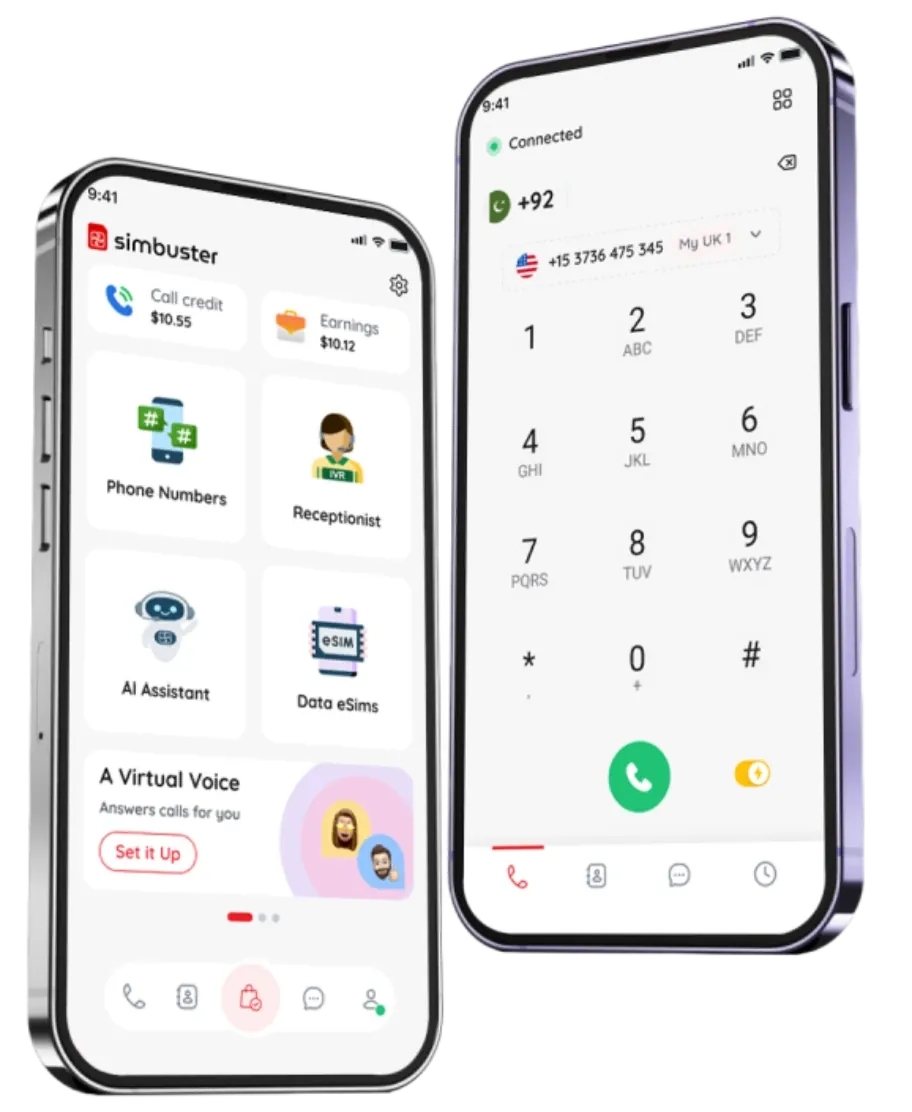
CallTone for Your Receptionist & IVR
Add short music clips or tones before or after your IVR or receptionist greeting to make every call sound professional, on-brand and memorable.
Free with every Simbuster number. Change it anytime.
Download on the
App Store
Get it on
Google Play
Ringtones made phones personal. CallTones make your number personal. Add a short sound before or after your welcome message and give every caller a branded first impression.



Rock & Metal

Ambient & Calm

Kids & Fun

Cinematic & Epic
Popular CallTones
Hail President
Darth March
Django Rides
Fight Bell
Western Comedy
Wild Sting
West Sting
Tequila Sting
Western Bravery
Cowboy Music
Western Trail
Western Entrance
Majestic Ride
Cowboy Duel
Spaghetti Western
How CallTones work?
Music makes the world go round, and CallTones makes every call sound special
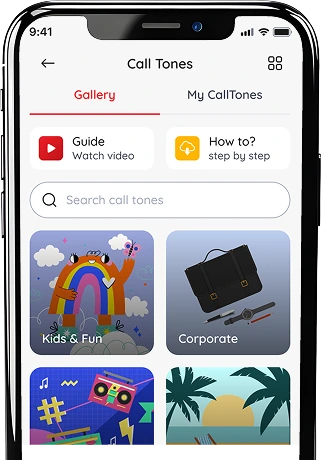
Choose a CallTone
Browse free music clips, sound effects and branded CallTones for your number.
1
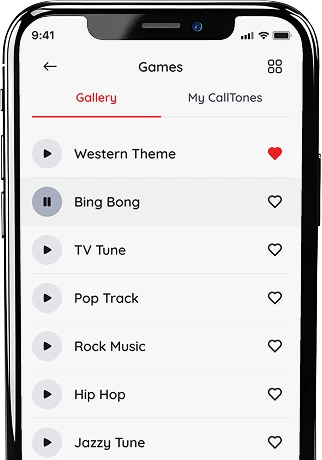
Tap the Heart to Save
Like any CallTone to add it to My CallTones, ready to attach anytime.
2
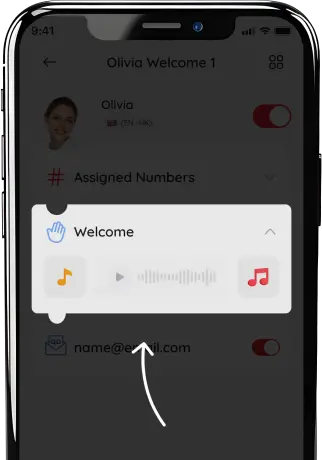
Attach to your Greeting
Play it before, after, or around your Receptionist welcome message.
3
What is a CallTone?
A CallTone is a short audio clip that plays during your phone number’s call greeting.
- With Simbuster, you can add a CallTone before your welcome message, after your welcome message, or both.
- It works with your Simbuster Receptionist, IVR and AI Bot, so callers hear a more personalised experience before they choose an option or speak to your assistant.
- CallTones are included free with Simbuster numbers, and you can change them as often as you like.

Upload your own CallTone
Want your own intro, jingle, sound effect or branded audio?
Upload your CallTone on the Simbuster website, preview it, then attach it to your Receptionist or IVR greeting.
Upload your audio (MP3 / MAA / WAV)
Manage your tone library
Trim & preview in-app
Attach to your IVR / Receptionist
LOGIN TO UPLOAD
*Only upload audio you own or have permission to use.
Included With Every Number
Free CallTone gallery
Choose ready-made CallTones for business, travel, fun and personal calls.
Upload your own
Create a custom branded CallTone using your own audio clip or jingle.
Unlimited changes
Change your sound whenever you want.
Before and after greeting
Play audio before, after, or around your Receptionist welcome message.

Works with Receptionist
Add CallTones to your mobile IVR and auto attendant call flow.
Works with AI Bot
Give your AI voice assistant a branded intro before it answers callers.
Why Use CallTones?
Because first impressions start before “hello”
Make calls memorable
Turn normal incoming calls into a unique branded caller experience.
Show personality
Use funny, luxury, holiday, cinematic or local-style CallTones.
Sound more professional
Add a polished audio intro to your Receptionist, IVR or business number.
Refresh anytime
Change your sound for promotions, seasons, travel or special events.
Creative Ways to Use CallTones
Use CallTones to turn a normal phone call into a branded moment.
Businesses
Play a professional intro before answer
Restaurants
Add a short vibe to match the cuisine
Funny Number
Make calls sound fun & personal
Support Lines
Use a calm sound to set expectations
Seasonal
Christmas, New year or a special day
Sales Offers
A proper promo to match the urgency
Tourists
Play your holiday vibe during vacation
Celebrity Fans
Use your favourite theme or music intro
Party & Events
Use sound-fx or beat style fun intro
VIP Line
A luxury/premium vibe on every call
FAQ
What are SimBuster CallTones?
CallTones are short music, voice or audio clips that can play before or after supported phone calls. They let you personalise how your calls begin or end.
Can I upload my own music?
Yes. You can upload supported music or audio files through the SimBuster website and use them as custom CallTones.
Where do I upload custom CallTones?
Custom music and audio are uploaded through the SimBuster website. Once processed, available CallTones can be managed and selected for supported phone numbers and call settings.
How long can a CallTone be?
A CallTone can be up to 20 seconds long. Longer audio may need to be trimmed before it can be used.
Can music play before a call?
Yes. You can set a supported CallTone to play at the beginning of a call before the caller reaches the selected destination.
Can music play after a call?
Yes. Where supported, you can add an audio clip that plays at the end of the call.
Can I use a voice message instead of music?
Yes. You can use a short spoken introduction, announcement, slogan, welcome message or other supported audio clip.
Can I choose music from a gallery?
Yes. SimBuster includes a gallery of available CallTones. You can preview available audio and save favourites where supported.
Can I use different CallTones for different numbers?
Yes. Supported phone numbers and call flows can use different CallTones, allowing you to personalise each number separately.
Can I change or remove a CallTone later?
Yes. You can replace, disable or remove a selected CallTone through your SimBuster settings.
What audio format should I upload?
Upload a supported audio file through the website. SimBuster processes compatible audio into the format required for phone calls.
Can I upload copyrighted music?
Only upload music or audio that you own or have permission or a valid licence to use. You are responsible for ensuring that uploaded content does not infringe another person’s copyright.
What happens if copyrighted material is reported?
Content may be disabled or removed following a valid copyright or DMCA complaint. Repeat or serious infringement may lead to further restrictions under SimBuster’s policies.
Does SimBuster check that I own uploaded music?
You remain responsible for the content you upload and the rights required to use it. Uploading a file does not mean SimBuster has confirmed that you own or are licensed to use it.
Can I upload offensive or illegal audio?
No. Uploaded content must comply with SimBuster’s terms, applicable law and content policies. Prohibited content may be removed.
Are CallTones the same as an IVR greeting?
No. CallTones are short audio clips played before or after supported calls. IVR greetings provide instructions and menu options such as “Press 1 for Sales.”
How much do CallTones cost?
Any applicable price, credit requirement or usage charge is shown before you create or activate a CallTone.
Popular CallTones Searches:
Make Every Call Sound Like You.
Upload your own music or audio online, create a custom CallTone and manage it with SimBuster.
Download on the
App Store
Get it on
Google Play